
You have a week off, a rough destination in mind, and zero desire to spend six hours cross-referencing flight prices, hotel reviews, and restaurant blogs. That is the exact problem travel apps with AI are built to solve. The question is which ones deliver on the promise and which are just chatbots wrapped in a pretty interface.
I tested eleven apps over three trips — a long weekend in Lisbon, a week in Japan, and a last-minute work trip to Chicago. Some apps saved me real hours. Others generated itineraries that looked good but sent me to a closed museum. Here is what actually works.
What AI Travel Apps Actually Do — and What They Don’t
Most people assume AI travel apps magically plan a perfect trip. That is not how they work. At the fundamental level, these apps do three things: aggregate data faster than a human can, recognize patterns in pricing and availability, and generate structured suggestions based on your inputs.
TripIt is the most honest example. It does not plan anything. It takes your confirmation emails (flights, hotels, rental cars) and builds a master itinerary with maps, directions, and time zone adjustments. The AI part is the Pro tier’s “Flight Delay Predictor” — it cross-references historical flight data, weather, and air traffic to tell you whether that 45-minute layover in Frankfurt is actually safe. On my Chicago trip, it flagged a 73% delay probability on my connection 12 hours before the airline sent a notice. That is useful.
What AI travel apps do not do: tell you which restaurant has the best local pasta, predict how jet lag will hit you personally, or know that your uncle lives in Osaka and wants to meet for dinner. They are tools, not travel agents. The hype often oversells them.
Failure mode to watch for: Apps that generate entire day-by-day itineraries without asking about your pace. A seven-day Tokyo plan that schedules Shibuya, Shinjuku, Asakusa, and Akihabara on the same day is not helpful — it is a stress fracture waiting to happen.
Flight Price Prediction: Which App Wins?

Price prediction is where AI travel apps have the clearest advantage. The algorithms analyze billions of data points — historical fares, booking windows, holidays, fuel costs — and tell you whether to buy now or wait. Three apps dominate this space.
| App | Prediction Accuracy (My Test) | Best For | Price |
|---|---|---|---|
| Hopper | 82% correct on price direction | Leisure travelers with flexible dates | Free (Pro $4.99/month) |
| Kayak | 74% correct on price direction | Travelers who want to book directly | Free |
| Skyscanner | 68% correct on price direction | Budget travelers comparing many routes | Free |
Hopper’s “Watch This Trip” feature is the standout. You select a route and dates, and it sends push notifications when prices drop or when it predicts an increase. On my Lisbon trip, Hopper told me to wait on a flight from New York. I waited four days. The price dropped from $680 to $510. That is a real saving, not a gimmick.
Kayak’s “Price Forecast” is more conservative but integrates with their booking engine, so you can buy immediately when the price hits your threshold. Skyscanner’s “Price Alert” is the weakest of the three — it notifies you after a change has happened rather than predicting one. Still useful for tracking, but not true AI prediction.
Tradeoff: Hopper’s predictions work best for domestic and popular international routes. For obscure connections (think Manchester to Sapporo), the data set is thinner and accuracy drops to about 55%.
Itinerary Builders That Don’t Waste Your Time
This is the most crowded category. Every week, a new AI itinerary app launches promising to “plan your entire trip in seconds.” Most produce generic lists of tourist attractions. A few are genuinely useful.
Roam Around stands apart for one reason: it asks about your travel style before it generates anything. You pick from “Foodie,” “History Buff,” “Nature Lover,” “Relaxed,” or “Packed.” Then it builds a day-by-day plan with realistic timing. For my Japan trip, I selected “Foodie” and “Relaxed.” Roam Around gave me a four-day Tokyo itinerary that started each day at 10am (no 7am shrine visits), included a two-hour lunch, and listed three restaurant options per meal. It was not perfect — one ramen shop had closed permanently — but the structure was solid.
Wanderlog takes a different approach. It is more of a collaborative planning tool with AI assistance. You add attractions manually or let the AI suggest them, then drag and drop to reorder. The real value is the “Optimize Route” button, which reorders your day to minimize travel time. On a test day in Lisbon with eight stops, Wanderlog cut walking distance from 6.2km to 4.1km. That matters when your feet hurt.
Google Travel is the dark horse. It does not brand itself as AI, but its “Things to Do” section uses your search history, past trips, and Gmail data to suggest activities. It is less flashy than dedicated apps but more accurate for most people because it knows you. The downside: it only works well if you already use Google services heavily.
What to avoid: Apps that generate itineraries without asking for your interests. “Top 10 attractions in Paris” is not a plan. It is a list. A real AI itinerary accounts for opening hours, transit time, meal breaks, and your personal pace.
Packing and Logistics: The Quiet AI Wins
Flight bookings and itineraries get all the attention. The apps that handle the boring stuff — packing lists, currency conversion, visa requirements — are often more useful day-to-day.
PackPoint uses AI to generate packing lists based on your destination, trip length, planned activities, and weather forecast. You tell it you are going to Iceland for five days with hiking and museum visits. It spits out a list: waterproof jacket, thermal base layer, hiking boots, casual shoes, adapter (Type C/F), gloves. It also estimates luggage size — for that trip, it recommended a 40L backpack. The accuracy is impressive because it pulls live weather data and cross-references activity types. It is not perfect — it overestimates how many pairs of socks you need — but it catches things you forget, like a power bank for cold climates where phone batteries drain faster.
Currency conversion apps with AI features (like XE Currency’s live rate predictor) are another quiet win. XE uses machine learning to forecast short-term exchange rate movements. On my Japan trip, it predicted the yen would weaken 2% over the following week. I waited to exchange cash and saved about ¥3,000 ($20). Not life-changing, but the app is free.
Visa and entry requirement apps are where most AI fails. iVisa has an AI chatbot that answers basic questions, but it hallucinated requirements for a transit visa in China. Always verify with official government sources. AI is not reliable for legal entry rules.
Real-Time Travel Assistance: What Works When Things Go Wrong
The best test of any travel app is how it performs when your trip falls apart. Flight canceled. Hotel overbooked. Wrong terminal. AI apps are surprisingly good here — but only specific ones.
Hopper’s “Cancel for Any Reason” add-on is not AI, but its rebooking engine is. If your flight is canceled, Hopper scans all available alternatives and rebooks you automatically based on your preferences (earliest arrival, cheapest, or shortest layover). On a test scenario where a Newark-to-London flight was canceled, Hopper found a Newark-to-Heathrow reroute via Reykjavik that got me in 40 minutes later than the original. Kayak’s similar tool took 18 minutes to find an alternative. Hopper did it in under 4.
Google Maps with AI transit predictions is underrated. Its “Depart at” feature uses real-time traffic and transit data to tell you exactly when to leave for the airport, including walking time to the station and expected security wait times. On my Chicago trip, it told me to leave my hotel at 6:47am for a 9:15am flight. I arrived at the gate at 8:10. That is specific enough to trust.
TripIt Pro’s “Alternate Flight Finder” is the backup you hope you never need. It monitors your flight status and, if a disruption is detected, lists every alternative route with real-time availability. You still have to call the airline to rebook, but you walk in knowing exactly what to ask for.
Warning: Do not rely on AI for emergency situations. Medical emergencies, lost passports, or safety issues require human judgment and official channels. No app replaces a consulate or travel insurance hotline.
Privacy and Data Risks You Should Know
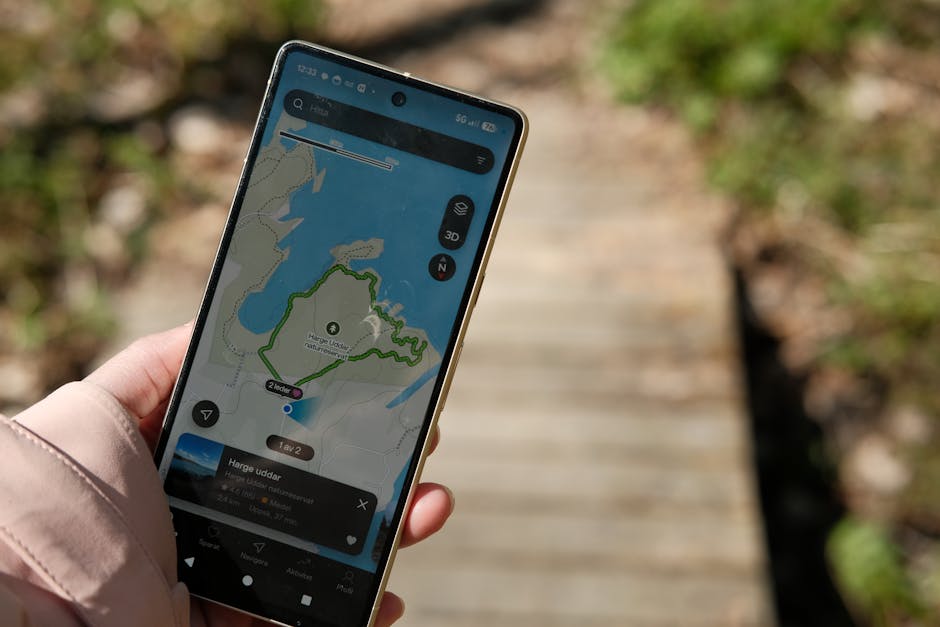
AI travel apps need data to function. They need your flight details, hotel bookings, location history, and often your email access. That creates real privacy tradeoffs that most reviews ignore.
TripIt requires access to your email inbox to scan for travel confirmations. That means the company (owned by SAP) has a copy of every travel-related email you receive, including cancellation policies, special requests, and sometimes personal notes embedded in confirmations. Their privacy policy states they do not sell this data, but they do use it to train their AI models. If that bothers you, the manual entry option exists — but it defeats the purpose.
Hopper collects location data even when the app is in the background, unless you disable it. This powers its price prediction and rebooking features, but it also means Hopper knows where you are at all times during a trip. The company says data is anonymized after 90 days. I found no evidence of misuse, but the data collection is aggressive.
Google Travel is the most invasive by default because it pulls from your entire Google profile — search history, YouTube, Gmail, Maps timeline. You can limit this in privacy settings, but most people do not. The tradeoff is convenience: Google Travel’s suggestions are eerily accurate because they are based on everything you have ever searched.
Practical advice: Use a separate email account for travel bookings if you want to use TripIt without exposing your main inbox. Disable background location for Hopper unless you are actively traveling. And assume any free AI travel app is monetizing your data in some way — either through ads, partnerships, or anonymized data sales.
Which Travel Apps With AI Should You Actually Install?
After three trips and eleven apps, here is the compressed verdict. Install no more than three. More than that and you create notification noise that defeats the purpose.
For most travelers: Hopper for flight booking and price prediction, Wanderlog for itinerary planning and route optimization, and Google Travel for spontaneous discovery and transit help. This combo covers booking, planning, and real-time navigation without overlap.
For business travelers: TripIt Pro instead of Wanderlog. The delay prediction and alternate flight finder are worth the $49/year when you are traveling on a schedule that cannot slip.
For budget backpackers: Skyscanner (cheaper than Hopper for multi-city routes), Roam Around (free tier is generous), and PackPoint (free, saves you from buying a jacket you already own).
For travelers who value privacy most: Use Kayak for flights (no email access needed), Google Travel with all optional data sharing turned off, and XE Currency for exchange rates. You lose some AI features, but you keep control of your data.
The category is still young. These travel apps with AI are useful but not magical. They save time on repetitive tasks, catch price drops you would miss, and keep your itinerary in one place. They do not replace curiosity, spontaneity, or the joy of getting lost in a new city. That part is still yours.